
Spin up a WordPress instance with one click – FREE & no login required! Source: Quick WordPress Testing & Staging Sites – TasteWP
Resources, references, inspiration and all things lovely in design & marketing
Spin up a WordPress instance with one click – FREE & no login required! Source: Quick WordPress Testing & Staging Sites – TasteWP

https://support.cloudways.com/how-to-configure-wp-rocket-plugin-wordpress/
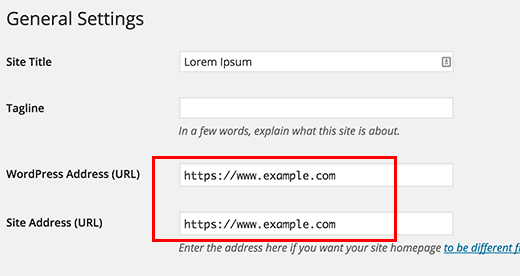
Learn how to add SSL and HTTPS in WordPress, setup SSL on multi-site and admin area, and how to do SSL redirects to move from HTTP to HTTPS in WordPress. Source: How to Add SSL and HTTPS in WordPress

Installing an SSL certificate on your domain is an essential step you should take to secure your WordPress site and now with Let’s Encrypt you can get one for free. An SSL certificate encrypts the connection between your site and your visitors’ browser so hackers can’t intercept and steal personal information. Normally, SSL certificates can…Continue Reading “Adding Free SSL Certificate and HTTPS to WordPress with Let’s Encrypt and Certbot – WPMU DEV”
Let’s Encrypt is a free, automated, and open certificate authority brought to you by the non-profit Internet Security Research Group (ISRG). Source: Let’s Encrypt – Free SSL/TLS Certificates

Who is hosting that website? Find out quickly who is hosting any website at W3bin.com Source: W3bin.com – Who is hosting that website?